When searching for a reliable companion for daily computing tasks, students, home users, and small business owners often look for a balance between affordability and performance. The hp pavilion 14 ce0xxx series has emerged as a notable contender in this space. This article dives deep into every aspect of this laptop, from its external build quality to its internal hardware capabilities. By the end, you will have a clear understanding of what makes the hp pavilion 14 ce0xxx a popular choice in the budget-to-mid-range laptop segment.
Introduction to the HP Pavilion 14 ce0xxx Series
The Pavilion line from HP has always been about delivering dependable performance without breaking the bank. The hp pavilion 14 ce0xxx models are no exception. These laptops typically feature 14-inch displays, making them highly portable while still offering enough screen real estate for productive work. The “ce0xxx” suffix indicates a specific generation of hardware, often powered by Intel’s 8th generation processors.
What makes the hp pavilion 14 ce0xxx appealing is its versatility. It fits perfectly into a backpack, runs quiet during normal operations, and handles everyday software like word processors, spreadsheet applications, and web browsers with ease. For families, students, or professionals who need a secondary device, this laptop checks many boxes.
Design and Build Quality
Chassis Materials and First Impressions
The first thing you notice about the hp pavilion 14 ce0xxx is its clean aesthetic. HP typically uses a combination of brushed plastic and aluminum accents. The lid often features a simple, polished finish with a chrome logo in the center. While the chassis is predominantly plastic, it feels sturdy enough for daily handling. There is minimal flex on the keyboard deck, which is a positive sign for long-term durability.
The hinge mechanism allows the screen to lie flat at nearly 180 degrees, which is helpful when sharing content with someone sitting opposite you. The weight of the hp pavilion 14 ce0xxx ranges around 1.5 to 1.6 kilograms, making it easy to carry between classes or meeting rooms.
Port Selection and Connectivity
One area where the hp pavilion 14 ce0xxx shines is its port selection. Unlike many ultrabooks that eliminate traditional ports, this laptop includes:
-
Two USB 3.1 Gen 1 Type-A ports
-
One USB 3.1 Type-C port
-
HDMI 1.4b output
-
A dedicated headphone/microphone combo jack
-
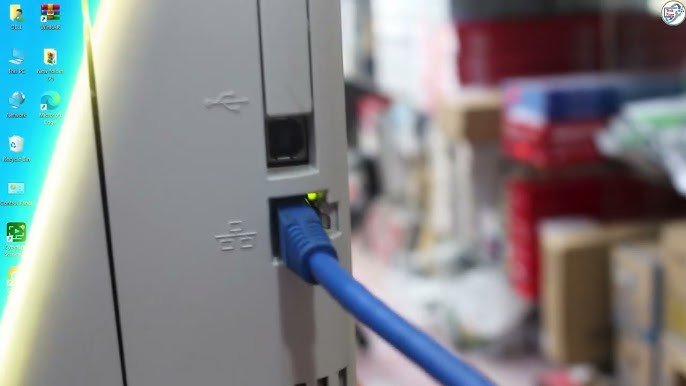
An RJ-45 Ethernet port (on most configurations)
-
An SD card reader
This variety means you rarely need a dongle. Connecting an external monitor, a wired mouse, and a USB drive simultaneously is straightforward. The presence of an Ethernet port is a thoughtful addition for users in areas with unstable Wi-Fi.
Display Analysis
Screen Specifications
The hp pavilion 14 ce0xxx typically comes with a 14-inch diagonal display. Most models feature a resolution of 1366 x 768 (HD) or 1920 x 1080 (Full HD). The Full HD IPS panel is the preferred choice because it offers better viewing angles and color reproduction. Brightness levels usually hover around 220 to 250 nits, which is acceptable for indoor use but may struggle under direct sunlight.
Viewing Angles and Color Accuracy
For general tasks like typing documents, browsing websites, or watching educational videos, the display is more than adequate. Colors appear natural, though professional photo editors might find the sRGB coverage limited (around 60-65%). The matte finish on most hp pavilion 14 ce0xxx screens helps reduce glare, making it easier to work in brightly lit rooms.
The bezels are moderately thin on the sides but slightly thicker on the top and bottom. The top bezel houses a webcam with a physical shutter—a small but valuable privacy feature.
Performance and Hardware Overview
Processor Options
Under the hood, the hp pavilion 14 ce0xxx is commonly equipped with Intel Core i3-8130U or Core i5-8250U processors. These are 8th generation chips based on the Kaby Lake R architecture. The move to quad-core processing in the i5 model was a significant leap from previous dual-core designs. For everyday computing, this means smoother multitasking and quicker responsiveness.
The Core i5-8250U, in particular, is capable of handling up to 8 threads simultaneously. This allows the hp pavilion 14 ce0xxx to manage a dozen browser tabs, a streaming video, and a word processor without noticeable lag.
Memory and Storage Configurations
Most variants ship with 8GB of DDR4 RAM, which is the sweet spot for Windows 10 or Windows 11. The memory is usually installed in a single slot, but the hp pavilion 14 ce0xxx often has one open slot for future upgrades. This is a significant advantage for users who plan to keep their device for several years.
Storage options include a 1TB 5400 RPM hard drive or a 256GB NVMe SSD. The SSD-equipped models offer vastly superior boot times and application loading speeds. If you have a choice, always opt for the SSD version of the hp pavilion 14 ce0xxx.
Integrated Graphics
For graphics, the laptop relies on Intel UHD Graphics 620. This is not a gaming GPU, but it can handle light video editing, streaming 4K content (with compatible displays), and older games at low settings. The integrated graphics also accelerate daily tasks like video conferencing and photo management.
User Experience and Keyboard Quality
Typing Comfort
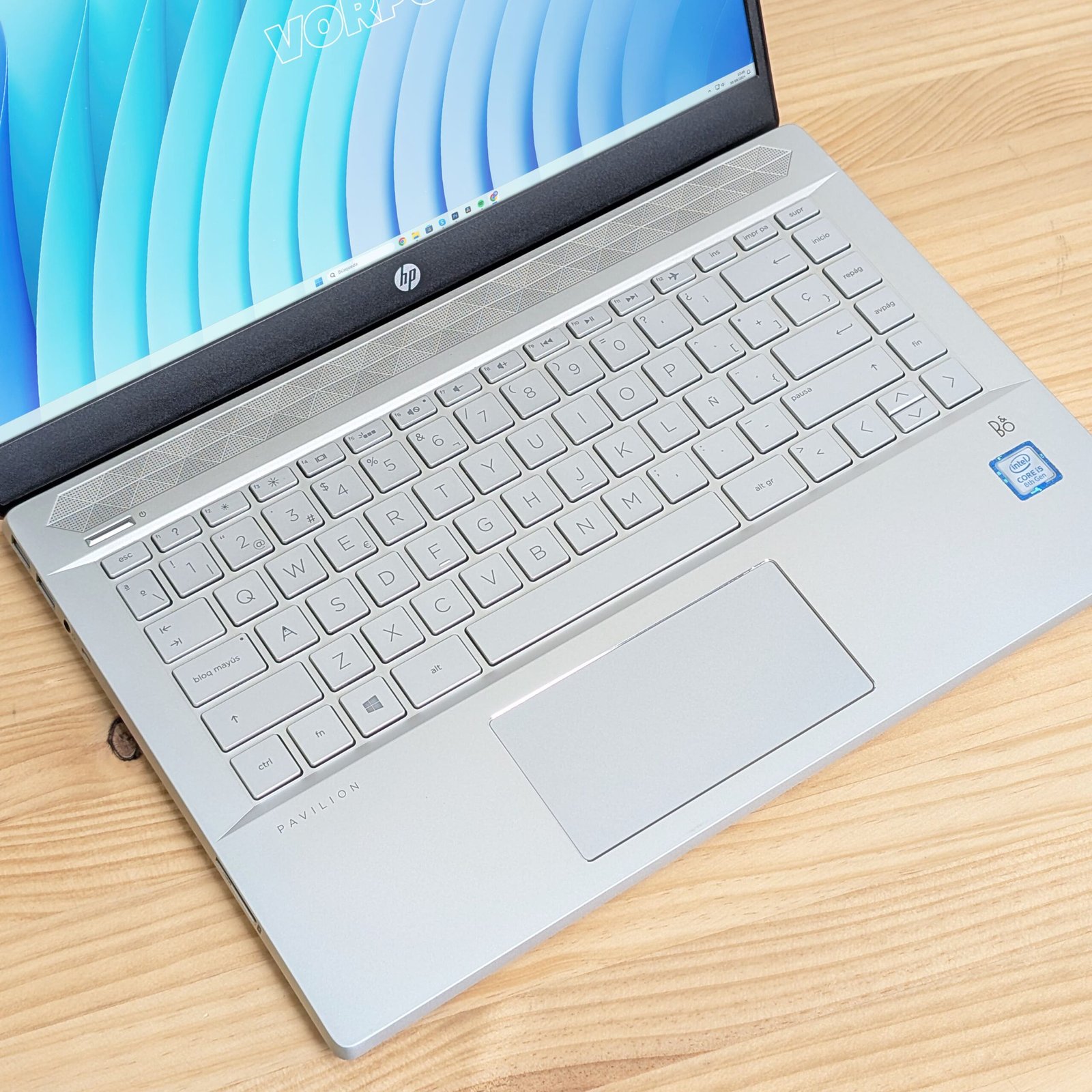
The keyboard on the hp pavilion 14 ce0xxx features full-sized keys with 1.5mm of travel. The keys offer a satisfying tactile response without being too loud. The layout includes a dedicated row of function keys for volume, brightness, and airplane mode. The lack of a numeric keypad is expected on a 14-inch chassis, and most users will not miss it.
Backlighting is available on higher-end configurations. If you often work in low-light environments, look for a model that specifies a backlit keyboard. The trackpad is Windows Precision certified, meaning gestures like two-finger scrolling and three-finger swiping work flawlessly.
Webcam and Audio
The HP TrueVision HD webcam captures 720p video. It is sufficient for Zoom meetings and online classes. The physical privacy shutter gives peace of mind. Dual speakers tuned by B&O (Bang & Olufsen) produce clear mids and highs, though bass is naturally limited. The speakers are bottom-firing, which means placing the laptop on a soft surface like a bed can muffle the sound.
Battery Life and Charging
Real-World Battery Performance
The hp pavilion 14 ce0xxx is powered by a 3-cell, 41 Wh lithium-ion battery. Under typical usage—Wi-Fi on, screen brightness at 60%, browsing and writing—you can expect 5 to 6 hours of runtime. More demanding tasks like video playback at full brightness reduce this to about 4 hours.
This battery life is average for its generation. It will get you through a half-day of classes or a few hours of remote work, but you will likely need to charge it by late afternoon. The good news is that the 45W AC adapter is compact and easy to carry.
Charging Speed
A full charge from zero takes approximately 90 minutes. HP’s fast charge technology can bring the battery from 0% to 50% in about 45 minutes, which is useful for quick top-ups between meetings.
Upgradeability and Maintenance
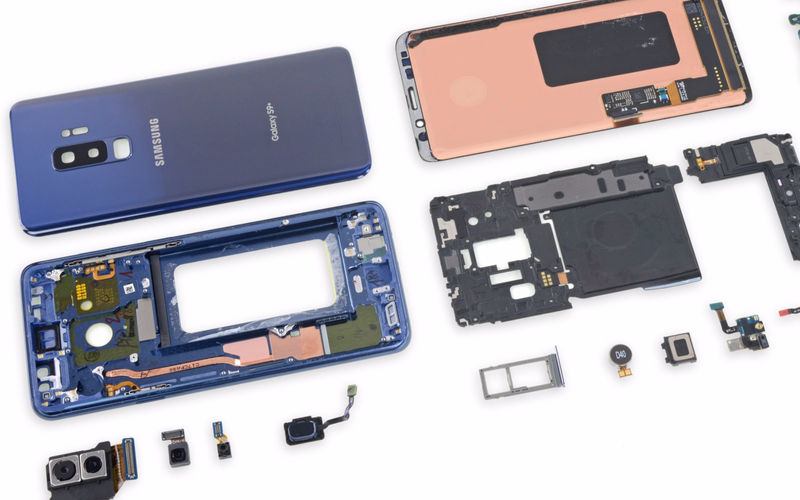
One of the strongest points of the hp pavilion 14 ce0xxx is how easy it is to upgrade. Removing the bottom panel requires a small Phillips screwdriver and a plastic prying tool. Once inside, you have access to:
-
One DDR4 SO-DIMM slot (one is typically soldered, but check your exact model)
-
One M.2 SSD slot (supports NVMe)
-
One 2.5-inch SATA drive bay
-
A removable Wi-Fi card
This means you can add more RAM, replace the hard drive with an SSD, or install a secondary storage drive. For users comfortable with basic hardware work, the hp pavilion 14 ce0xxx can evolve over time. Upgrading from a mechanical hard drive to an SSD transforms the laptop’s responsiveness entirely.
Software and Operating System
Most units were originally shipped with Windows 10 Home. HP includes a few utilities like HP Support Assistant and HP Audio Switch, but these are not intrusive. There is no significant bloatware beyond standard Windows apps. The laptop is fully compatible with Windows 11, provided the TPM 2.0 requirement is met (most hp pavilion 14 ce0xxx models include this).
If you prefer an open-source operating system, Linux distributions like Ubuntu or Fedora also run well on this hardware. The Intel Wi-Fi and graphics drivers have good support, though you may need to update the kernel for the latest features.
Heating and Thermal Management
Cooling System Design
The cooling solution consists of a single fan and a heat pipe connected to the CPU. Under normal loads—web browsing, document editing, media playback—the fan is nearly silent. The chassis remains cool to the touch. When you push the hp pavilion 14 ce0xxx with CPU-intensive tasks like video encoding or multiple virtual machines, the fan speed increases noticeably.