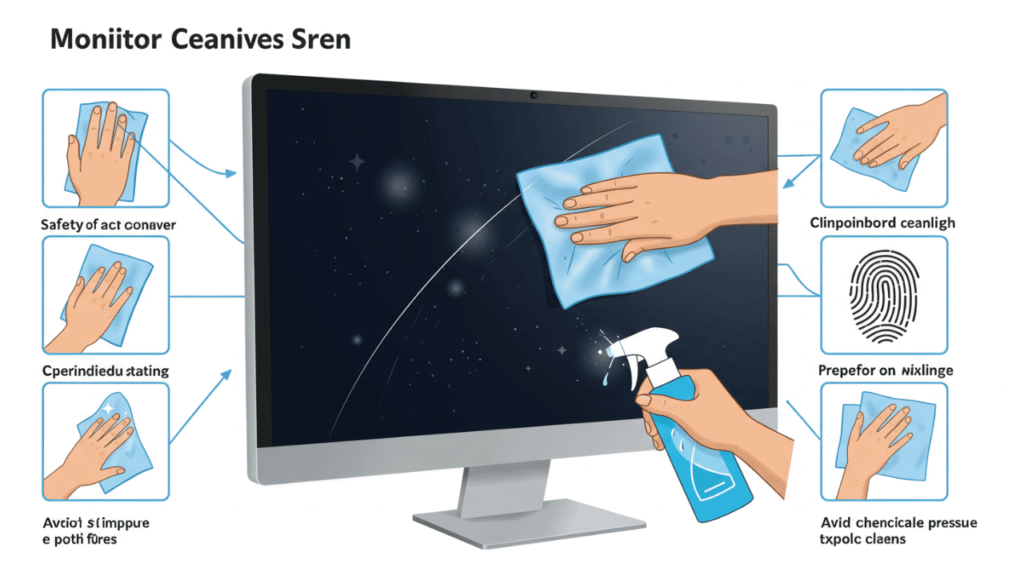
The digital canvas through which we view the modern world is a delicate piece of engineering. We spend countless hours staring into the luminous face of our computers, trusting them to render colors perfectly and deliver crisp text. However, over time, an imperfection might appear. It sits there, a shadowy blemish or a distracting smudge, resisting a casual wipe with a sleeve. You have encountered the dreaded Monitor Stains.
This is not merely a matter of dust. Dust sits on the surface and obeys the command of a microfiber cloth. A stain is different. A stain suggests something has happened to the screen itself, or something foreign has bonded with its surface at a molecular level. It provokes a specific kind of anxiety for those who rely on visual precision, from graphic designers editing high-resolution imagery to traders watching fluctuating charts. This comprehensive guide will walk through the anatomy of display contamination, the safe pathway to removing Monitor Stains, and the critical distinctions between different types of blemishes that plague modern screens.
Understanding the Modern Screen Surface
Before we can erase a mark, we must understand the canvas. The days of bulky, glass-heavy Cathode Ray Tube displays are largely behind us. Modern flat panels are complex sandwiches of films, crystals, and coatings. The outermost layer is rarely raw glass. It is usually a polymer film or a chemically coated surface designed to reduce glare, filter blue light, or improve viewing angles.
This delicate surface is the reason why aggressive cleaning is so dangerous. A stain is not necessarily a deposit that sits on top of the screen; sometimes, it is damage to these coatings. Differentiating between a layer of dried saliva, a splatter of a beverage, and physical erosion of the anti-glare film is the first step. The most frustrating Monitor Stains are the ones that look like a permanent fog, often caused by the incorrect use of alcohol-based cleaners or window sprays that dissolve the very material that protects your eyes.
The Wet Culprit: Liquid Spills and Mist
The most common source of screen blemishes is moisture. We sneeze, cough, sip coffee, or rely on a humidifier too close to the workstation. Tiny droplets carry minerals and organic compounds. When the water evaporates, it leaves behind a residue skeleton.
These stains are usually white, salty-looking specks or rings. Under a magnifying glass, they look like tiny islands of calcium or sugar. They are among the safest stains to tackle because they are usually sitting on top of the display, not having reacted chemically with it. However, if a liquid is not just water—specifically if it is something acidic like citrus juice or something sticky like a soft drink—it becomes a threat. The acidity can etch into the anti-glare coating, leaving a permanent, shimmering mark that looks wet even when it is bone dry. This is the moment a simple spill transforms from a cleaning task into a permanent optical scar.
The Physical Impact: Pressure Marks and Bruises
If you carry a laptop in a bag stuffed with books, or if a curious child presses a finger hard against a desktop monitor, you might notice a distinct type of blemish. These are not surface deposits; they are pressure marks, often referred to as “bruises” internally, but here we describe them as contact deformities.
These Monitor Stains look like bright spots or rainbows on a white background and dark smudges on a black background. They occur because the liquid crystals inside the panel have been physically displaced. The layers of the screen have been pressed together, causing the liquid crystal fluid to flow improperly. Unfortunately, no amount of wiping will fix this. There is no liquid to clean. It is a structural failure in the pixel matrix, and often, the only solution is a panel replacement. Knowing this saves you from rubbing a cloth into the screen furiously, hoping the “smudge” will vanish, only to cause further pressure damage.
The Biological Factor: The Human Trace
Our bodies are the enemy of pristine screens. We produce oils and shed skin constantly. When we point at a specific detail on a graph, we leave behind a fingerprint loaded with sebum. This oil doesn’t evaporate. It sits there and attracts dust. Over weeks, if not cleaned, this oil polymerizes. It hardens and becomes a sticky, translucent varnish that diffuses light.
Then there is the invisible assault of coughs and sneezes. A sneeze can travel at high speeds, carrying saliva and mucus particles across the room to settle silently on the monitor. Once these particles dry, they form stubborn, slightly yellowed Monitor Stains. Because they are protein-based, simply using a dry cloth can smear them into a bigger, stickier mess. The trick here is rehydration. You must re-dissolve the biological material without flooding the bezel.
The Great Mistake: The “Magic Eraser” Myth
In desperation, many users turn to household cleaning chemicals. The impulse is logical: “It removes grease from my kitchen counter, so it will work on my screen.” This logic kills displays. Products containing acetone, ammonia, or ethyl alcohol break down the hydrocarbon chains in the anti-glare coating. The result is not a clean screen, but a blank, shiny patch where the matte finish once was. This patch looks like a permanent Monitor Stains stain, but it is actually the absence of the coating.
Once you see a “smear” that you cannot wipe off, which looks like the screen is wet or oily but feels completely smooth, you are looking at coating damage. There is no repair. You can strip the entire coating off to make the screen look uniform, but that is a destructive process. Prevention here is absolute: never spray a screen directly with a solvent. Never use paper towels, which contain wood fibers hard enough to grind micro-scratches into the coating.
How to Safely Remove Monitor Stains
We must approach cleaning as a two-step dance: lift and absorb.
Step 1: The Dust Pre-Wash
Never wipe a dusty screen with a wet cloth. You will create a slurry of mud that scratches the surface. Use a manual air blower (the rubber bulbs used for camera lenses) to puff away hard particles. If you don’t have one, a very soft, dry makeup brush can lift dust out of the corners where the bezel meets the screen. This step ensures that when you do touch the screen, you aren’t grinding silica into the panel.
Step 2: The Distilled Water Standard
For 80% of organic smudges and light Monitor Stains, distilled water is the only solvent you need. Tap water is risky; it contains chlorine, fluoride, and dissolved minerals. When tap water dries, it leaves its own white stains. Distilled water is hungry for ions; it wants to dissolve things.
The cloth matters more than the fluid. Microfiber is mandatory. But not all microfiber is equal. You need a tightly woven, high-density cloth designed for lenses or glasses. The weave creates a capillary action that pulls grease up into the cloth rather than pushing it around the screen. Dampen one corner of the cloth slightly—the cloth should feel cool, not wet. If you wring it out and water drips, it is too wet. Water running down the screen can seep into the bottom bezel, shorting the control board and creating vertical lines of death.
Wipe in one direction. Do not buff in circles. Circular buffing with a contaminated cloth creates swirl marks that catch the light. Start from the center and push the smudge toward the bezel. Immediately follow with the dry side of the cloth to absorb the moisture before it air-dries. This “wet pass then dry pass” method is the golden rule for all Monitor Stains.
Step 3: The Vinegar Solution for Hard Water and Drool
If the stain is hardened saliva, mineral splatter from a humidifier, or hard water spots, distilled water alone may not cut it. You need a mild acid to break down the calcium carbonate. White vinegar diluted 1:1 with distilled water is the industry standard. The dilution is critical; straight vinegar is too acidic.
Dampen the cloth with the diluted vinegar, and hold it against the stain for 30 seconds. Do not rub. Let the acidity work on the mineral bonds. After waiting, a single gentle wipe should lift the mineral ghosts. This is particularly effective for the thick, whiteish Monitor Stains that look like dried salt flats. Immediately after the vinegar pass, go over the area with pure distilled water on a fresh cloth to remove any acidic residue, then dry.
The Silicone-Based Smudge Conundrum
Some stains are greasy in a way water cannot touch. These come from fingers that have just applied hand cream, food splatters, or the lubricants used in the manufacturing of the laptop hinge. Silicone greases are hydrophobic. Water just beads up and rolls off the stain.
Here, you cannot use a harsh degreaser. The gentlest surfactant is a tiny drop of liquid soap—specifically, a pure castile soap or a free-and-clear dish soap with no fragrances, no lotions, and no anti-bacterial additives. Those additives are corrosive to plastic. Mix one single drop in a full cup of distilled water. Dip the cloth, wring it until it is almost bone dry, and gently break the grease tension. The soap molecules surround the grease and allow the water to lift it. Rinse the cloth with plain distilled water, wring it, and wipe the screen again to pull up any soap residue. Soap residue is a magnet for new dust, so the rinse step is not optional.
Addressing the Internal Ghost
Sometimes, a mark is not on the outside. A user will clean their screen perfectly, only to see a dark blotch or a bright white “cloud” still present. These look like Monitor Stains but are actually entombed inside the glass.
One common internal issue is the “wet look” stain, which is actually delamination or moisture ingress. If a screen has been cleaned too aggressively with a dripping cloth, fluid wicks into the layers. It sits between the backlight diffuser and the liquid crystal panel. These stains look like blooming flowers or topographical maps. They are often permanent, though some users report them fading over weeks if the screen is left in a warm, dry area (like a room with a dehumidifier).
Another internal ghost is dust stuck between the layers. This happens when a laptop display is flexed or the seal around the bezel fails. No external cleaning can fix this. It requires disassembling the display module, a task suited only for professionals with clean-room gear, as opening the layers in a normal dusty room will contaminate the backlight permanently.
The Isopropyl Alcohol Debate
There is significant conflicting advice regarding isopropyl alcohol. Many manufacturers once recommended it; now, many warn against it. The truth lies in the concentration and the coating. A pure 99.9% isopropyl alcohol evaporates too fast to clean effectively, but it is chemically less aggressive with water-based additives. The danger is 70% rubbing alcohol, which contains water and often denaturants, glycerin, or perfumes.
If you must use alcohol to remove a stubborn adhesive stain from a sticker residue on a glass-fronted monitor, use the highest purity possible. Place it on the cloth, never the screen. However, for any screen with a matte anti-glare film, avoid alcohol entirely. The film is a porous polymer; the alcohol acts as a carrier, drawing the polymer’s plasticizers out, leaving it brittle and cloudy. That cloudy look is not a residue you can clean; it is a shattered molecular structure. When facing an unknown Monitor Stains origin, water and time are safer than a solvent that might deliver an instant, fatal result.
The Sunlight and Heat Factor
Few guides mention the physics of the environment, yet heat is a catalyst. A stain does not exist in isolation; it sits in a room with changing temperatures. If your monitor sits near a window, direct sunlight heats the screen. This heat bakes organic splatter onto the glass. A spit particle that might have wiped off easily in the morning becomes a hard, crystalline shard by afternoon.
Conversely, working in a cold room and then turning on a hot monitor creates condensation. This micro-moisture layer traps dust and dries into a thin, even film of haze. This haze is a uniform stain across the entire screen, often most visible when the screen is off and the light hits it at a specific angle. Cleaning this requires a large, plush microfiber pad and a careful, sweeping motion to pull up the thin veil of grime without leaving streaks. The streaks that form are actually the trails of the dirt you missed, lying in the weave of the cloth.
Color Distortion: When Stains Look Wet
A specific class of defect deserves special attention: the rainbow stain or the “oil slick” effect. This looks like a puddle of gasoline on water sitting inside your screen. If you press lightly on the bezel, the shape might change. This is almost always coating damage or a failed lamination.
If you’ve ever placed an adhesive note on a matte monitor, you might have noticed the paper pulled off a shiny, speckled residue. The acid in the adhesive gels with the matte coating. Trying to scrub this off makes it worse because you are just grinding the adhesive deeper into the microscopic valleys of the anti-glare surface. The only safe method here is patience. A little distilled water on a microfiber pad, taped over the spot gently to “soak” for an hour, might rehydrate the glue. Then, a rolling motion with an ultra-fine microfiber tip—never a fingernail—might lift the balls of glue. This is a last-ditch effort for this specific species of Monitor Stains.
Proactive Protection: Building a Barrier
The best way to handle Monitor Stains is to never let them form. This does not mean sealing the screen behind a glass case that destroys the viewing experience. It means behavioral hygiene. Encourage a “no pointing” rule in your household or office. If you must point, use a capped stylus with a rubber tip. The oils on a finger transfer instantly.
Think about your workstation airflow. If you are drinking a hot beverage, do not place the mug between the keyboard and the monitor. The steam carries tiny droplets of coffee or tea that form a fine mist. Over a month, this mist creates a translucent brown residue that dims the screen’s output. Likewise, if you use a spray bottle for cleaning plants or air fresheners, the mist drifts. Anything that aerosolizes near the workspace will eventually land and dry on the nearest large surface, which is usually the monitor.
A screen cover, washed regularly, can be a solution for touch-screen devices or interactive pen displays. But for a high-precision color grading monitor, a cover impedes the work. For these users, a dedicated, high-quality microfiber cloth kept in a sealed bag is the best tool. Pass it over the screen dry at the end of the day to catch the day’s oil mist before it hardens. This daily ritual of dry wiping prevents the need for monthly wet-wipe scrubs.
The Specificity of Matte vs. Glossy
It is vital to distinguish between a matte and a glossy screen when defining a stain. A glossy screen is usually raw glass or a glass with a very hard anti-reflective coating. Glossy screens are more durable against chemicals but show fingerprints more vividly. A stain on glossy glass is often cleanable with more force (though still carefully).
A matte screen has a microscopically rough surface to scatter light. This roughness makes it a trap for oil. It is like trying to clean plastic sandpaper. Once oil gets into the pits, a normal cloth skims the peaks without reaching the valleys. This is why a stubborn matte monitor stain requires a soaking method rather than a scrubbing method. When you soak the cloth and hold it, the water tension breaks, and the fluid sinks into the valleys to float the oil out. Understanding this physical texture is the secret to cleaning matte Monitor Stains without leaving a hazy trail.
Biological Contamination and Hygiene
Finally, we must address the health aspect of a screen’s surface. A monitor can harbor a significant biological load. Studies of mobile devices, which are essentially small, touch-enabled monitors, show colonies of bacteria. A non-touch desktop monitor is less susceptible, but a sneeze or cough creates a biofilm. When you see a cluster of dried spray on the screen, it is not just a visual obstruction; it is organic matter.
Cleaning it is therefore not just a matter of aesthetics, but of hygiene. Unfortunately, killing bacteria usually involves alcohol, which we have established is dangerous for coatings. The physical action of wiping with a damp microfiber cloth removes over 90% of surface bacteria simply by lifting them off. The risk of damaging the screen with a biocide is usually greater than the risk of the bacteria itself, unless the screen is used in a medical setting or shared between multiple unknown users in a public space. For the single user, regular mechanical cleaning with water is the safest balance between optical clarity and screen longevity.
The journey to a spotless display is one of patience and friction control. An aggressive hand creates more Monitor Stains than it solves. The next time a light source reveals that distracting speck in your field of view, stop. Look at the mark. Is it raised? Is it a scratch, a bite out of the coating, or simply the ghost of yesterday’s coffee sitting on the surface? Usually, it is the latter. Breathe on it, letting the condensation ghost across the spot, and gently tease it away with a dedicated cloth. In that small ritual, you are not just cleaning a machine; you are maintaining a window to your world, ensuring every pixel shines through without the haze of neglect.
Conclusion
The battle against Monitor Stains is rarely won with brute force or expensive chemical concoctions. It is won with an understanding of chemistry, surface tension, and the delicate nature of modern polymer coatings. Distilled water, a high-quality microfiber cloth, and a gentle, patient technique remain the pillars of screen care. When you encounter a mark that looks like a smudge, a shadow, or a permanent fog, remember the distinctions laid out here: surface residue versus physical abrasion, oil emulsion versus coating delamination. Treating the screen with the same delicate respect you would afford a camera lens ensures that your view into the digital realm remains crystal clear, free from the distracting ghosts of past accidents and the permanent scars of improper care. The screen is a passive surface, waiting to diffuse light; it falls to you to ensure that nothing stands in the way of that perfect, luminous signal.