In the contemporary landscape of professional environments, the tools we choose directly influence our daily output and long-term comfort. For many, the computer monitor serves as the primary window to the digital world, making its quality, ergonomics, and reliability critical factors in a productive setup. The ProDisplay P224 by HP enters this space as a purpose-built device, targeting users who need a straightforward, efficient display for essential business tasks. It does not chase the flashy trends of high-speed entertainment or curved immersion. Instead, it focuses on delivering a stable and comfortable viewing experience for spreadsheets, documents, emails, and video conferences. This article provides an in-depth exploration of the HP ProDisplay P224, examining its design philosophy, technical specifications, connectivity, and overall value proposition for the modern professional. Understanding a device like the ProDisplay P224 requires moving beyond a mere list of specifications. It demands a look at how it fits into a daily workflow, whether in a corporate office, a home workstation, or a flexible shared environment. We will dissect the monitor’s features to see if it truly meets the demands of its intended audience and how it compares to a general-purpose screen. The journey through its design and capabilities reveals a product that prioritizes function and user well-being over aesthetic extravagance.
Table of Contents
ToggleUnpacking the Visual and Physical Identity of the Display
The first impression of any piece of technology often stems from its physical construction. The ProDisplay P224 embraces a design language that can be described as understated and professional, a common thread in HP’s business-oriented product lines. It is not a device that screams for attention on a desk; rather, it sits quietly, efficiently, and blends into a serious work environment. The chassis is crafted entirely from matte black plastic, which serves a dual purpose. Aesthetically, it maintains a uniform and clean look that doesn’t distract the user from the content on the screen. Functionally, the matte texture resists fingerprints and smudges far better than glossy alternatives, keeping the monitor looking tidy even with frequent adjustments. The build quality feels sturdy for its class. While lightweight enough to be easily moved, the plastic housing does not feel overly brittle or fragile. The stand mechanism attaches securely, providing a stable base that resists wobbling on a standard desk. This stability is vital in busy settings where a desk might get bumped. The focus on durability ensures the device can withstand the daily rigors of corporate life.
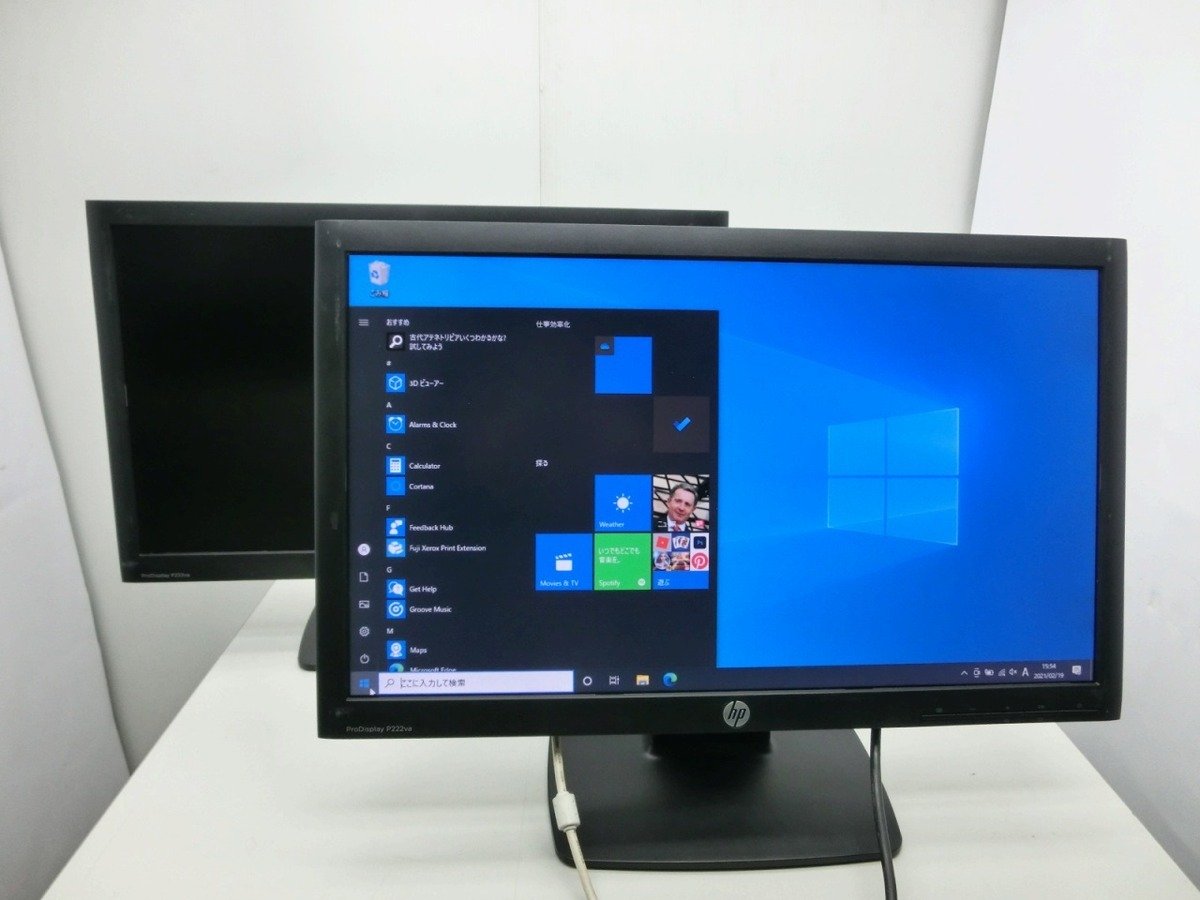
A defining characteristic of this display’s front face is the treatment of the bezels, the frame surrounding the active screen area. HP employs what it terms a “3-sided micro-edge” design. In practice, this means the bezels on the top, left, and right sides are remarkably slim when the monitor is powered off, creating a modern and sleek silhouette. This design choice is not merely cosmetic. In a multi-monitor setup, where two or three of these screens are placed side-by-side, the thin bezels drastically reduce the visual interruption between displays, creating a more seamless panoramic workspace. It allows the user to focus on the content spanning across screens without thick black bars breaking the flow of information. However, it is important to note the visual trick at play here. When the screen is active, there remains a small but visible black border between the glowing pixels and the physical edge of the frame. It is not a true edge-to-edge glass panel, but the “micro-edge” effect still contributes to a compact and contemporary footprint. The bottom bezel is thicker and houses the reflective HP logo, a subtle branding element that looks professional.
Turning to the rear of the unit, the design remains functional and clean. The back panel features a textured surface that feels robust. The stand connects to a recessed area, and a quick-release button allows for easy disassembly when the monitor needs to be mounted differently. The ProDisplay P224 supports the VESA mounting standard, specifically the 100mm x 100mm pattern. This is a critical feature for modern workspaces that utilize monitor arms or wall mounts to free up desk space. The ability to detach the included stand and attach the screen to an articulating arm instantly transforms the ergonomic potential of the device, allowing for height, tilt, and swivel adjustments that the stock stand does not provide. Speaking of the stock stand, its adjustments are limited to a simple tilt function. Users can angle the screen forward or backward to reduce glare, but they cannot raise the height of the display or rotate it into a portrait mode. For users who prioritize an uncluttered desk, the stand does include a useful cable management feature. A clip on the neck of the stand routes power and video cables neatly behind the monitor, keeping them out of sight and preventing tangles on the desk.
Analyzing the Core Display Specifications and Visual Performance
The panel inside the monitor is the heart of the user experience, dictating image quality, color reproduction, and viewing comfort. The screen on this device measures 21.5 inches diagonally. This size occupies a sweet spot for many professionals. It is large enough to comfortably view two documents side-by-side or work on a complex spreadsheet but compact enough to fit on smaller desks or in tight cubicles. This makes it a logical choice for standardized corporate deployment where desk sizes vary. The resolution is Full HD, or 1920 pixels horizontally by 1080 pixels vertically. On a 21.5-inch canvas, this translates to a pixel density of approximately 102 pixels per inch. This density is significant. Text appears crisp and well-defined, reducing the eye strain associated with pixelated characters. Images are sharp, and fine details in graphic design or data visualization are clearly visible. The 16:9 widescreen aspect ratio is the universal standard, ensuring that most content, from web pages to video calls, fills the screen naturally without cropping or awkward stretching.
Clarity is only one part of the equation. The ProDisplay P224 uses a specific type of liquid crystal panel technology. Depending on the specific revision and regional availability, HP has shipped this model with both In-Plane Switching (IPS) and Vertical Alignment (VA) panels. Both are significant upgrades over older TN technology. The key benefit for the user is the dramatic improvement in viewing angles. The specifications list viewing angles of 178 degrees both horizontally and vertically. This specification means the user can look at the screen from an extreme position to the side, or from standing above it, without the colors washing out or the contrast shifting dramatically. For someone sharing a screen with a colleague during a discussion, this ensures everyone sees a consistent and accurate image. The peak brightness of 250 candelas per square meter (cd/m²) is standard for an office environment. While not dazzlingly bright like a screen built for outdoor use or HDR content, 250 nits is perfectly suited for indoor conditions under standard fluorescent or LED lighting. The anti-glare coating on the panel is a crucial partner to this brightness. It scatters ambient light, preventing harsh reflections from windows or overhead lights from bouncing back into the user’s eyes.
The monitor’s contrast ratio and color performance define how vibrant and dynamic the image looks. For units with a VA panel, the static contrast ratio is typically higher, around 3,000:1, allowing for deeper, inkier blacks. IPS versions usually have a static contrast ratio of 1,000:1. Both panel types, however, utilize a dynamic contrast technology that can boost the ratio to figures like 10,000,000:1 by adjusting the backlight intensity in real-time based on the content displayed. This feature can create a more dramatic image for videos, though for most static productivity work, the static contrast ratio is the more relevant metric. Color support is rated at up to 16.7 million colors, corresponding to an 8-bit depth. The color gamut coverage is often cited as 72% of the NTSC color space. This is not the wide color gamut required for professional photo printing or high-end video grading, but it is more than adequate for business graphics, web browsing, and standard office applications. The response time, measured at 5 milliseconds gray-to-gray, is perfectly acceptable for standard use. It ensures that cursor movements are fluid and that scrolling through documents doesn’t leave distracting trails. The standard refresh rate is 60 Hz, meaning the screen redraws the image 60 times per second. This is the baseline for smooth motion in a desktop interface and video playback.
Setting Up the Workflow Hub Through Connectivity and Ergonomics
A monitor acts as a central hub, connecting various devices. The ProDisplay P224 offers a commendable array of ports that cover a wide range of computers, from legacy office desktops to modern laptops. On the back of the monitor, users will find three distinct video input options. The first is VGA, a legacy analog connector that remains surprisingly common in older corporate PC fleets and industrial equipment. The inclusion of VGA ensures broad backward compatibility. The second is DisplayPort, a digital interface beloved in business settings for its ability to daisy-chain multiple monitors from a single port on a compatible PC. The third is HDMI, the ubiquitous consumer standard, which makes the monitor instantly compatible with a vast ecosystem of devices, including modern laptops, media streamers, and some tablets. The decision to include all three types of cables in the box—VGA, DisplayPort, and HDMI—is a user-friendly touch. It saves the customer a trip to an electronics store and acknowledges the reality of mixed IT environments. This ready-to-go philosophy extends to other packaged items, which include the power cable and a setup guide.
🌐 More in Technology




The button controls and on-screen display (OSD) menu are the methods by which a user commands the screen’s behavior. The ProDisplay P224 utilizes physical buttons, typically located on the bottom right edge of the bezel or underneath it. Physical buttons, as opposed to touch-sensitive panels, provide definitive tactile feedback, making them easier to operate by feel without looking. The OSD menu structure is text-based and logical, though some user reviews have noted that the buttons can feel a bit stiff to press. Within the menu, the user can adjust brightness, contrast, and color settings. Crucially, this is where the low blue light and flicker-free features reside. The low blue light mode adjusts the color temperature of the display, shifting it towards warmer tones to reduce the emission of blue spectrum light, which is linked to eye fatigue and sleep disruption. The flicker-free technology ensures the backlight does not use rapid pulsing to dim the screen, a technique that can cause headaches and discomfort for sensitive individuals. These features combine to create a monitor that is designed for the marathon sessions common in office work, prioritizing long-term comfort over short-term visual punch.
The ergonomics of the stand are perhaps the most significant compromise on the cost-efficiency balance sheet. The included stand’s tilt mechanism is a basic necessity, allowing a range from -5 to 25 degrees. This adjustment enables the user to position the screen to avoid glare from overhead lighting. However, the lack of height adjustment is a notable omission. The optimal ergonomic position for a monitor places the top of the screen at or slightly below eye level, which prevents neck strain. With the fixed height of the stand, many users will likely find the screen sits too low on their desk. The common solution for this is to place the monitor on a stack of books or a dedicated riser, but this undermines the clean aesthetic. The stand also lacks a swivel function, meaning to turn the screen to show a colleague, the user must pivot the entire base. Finally, there is no pivot function to rotate the screen 90 degrees into a portrait orientation, a feature beloved by coders, writers, and legal professionals who work with long documents. These limitations are deliberate trade-offs. By saving on the mechanical complexity of the stand, HP directs the product’s cost towards the quality of the panel itself. For organizations that standardize on VESA-mounted arms, this stand is perfectly adequate; for the individual desk user, it represents the most likely aspect to require a workaround.
Leveraging the Technology for Productivity and Daily Comfort
Using the monitor for day-to-day tasks reveals its true character beyond the specification sheet. In a productivity-focused environment, the ProDisplay P224 excels at delivering text with excellent clarity. The Full HD resolution combined with the panel’s color stability means that staring at a dense spreadsheet for hours is a less punishing experience. The small pixel pitch ensures that the edges of letters are smooth and solid, not jagged. Scrolling through lengthy web pages is smooth thanks to the 5ms response time, which, while not as instantaneous as a high-refresh-rate gaming monitor, is completely sufficient for reading and research work. The anti-glare coating proves its worth in these scenarios. In an office with large windows, a glossy screen would become a mirror, forcing the user to squint and adjust posture to see the data. The matte finish diffuses this light, allowing the user to maintain focus on the task. This is a subtle but powerful contributor to a less fatiguing workday.
Video conferencing has become a pillar of modern professional life, and the monitor serves as the canvas for these interactions. With its 16:9 aspect ratio and good viewing angles, the screen ensures that a gallery view of colleagues is visible with consistent color and brightness, even from the edges of the frame. The standard 60 Hz refresh rate and 5ms response time are more than adequate for smooth video playback, preventing the “stuttering” effect that can occur on underpowered screens during fast-moving presentations or shared screen sessions. While the monitor does not include built-in speakers, this is often seen as an advantage in corporate settings, where audio is routed through a headset or a dedicated speakerphone to maintain privacy and clarity. A discreet audio output jack on the monitor can pass sound from an HDMI or DisplayPort source to external headphones if needed, but the lack of speakers keeps the focus on visual productivity. The slim bezels, particularly on the sides, also create a more engaging experience in a video call, making the screen feel less confined and more open.
Beyond the professional sphere, the monitor has a restrained but capable nature for basic entertainment. If a user decides to watch a video or view photos during a break, the performance is satisfactory. The dynamic contrast ratio helps videos look a bit more vibrant, though the limitations of a standard color gamut and a non-HDR display mean it won’t match the visual impact of a television or a premium entertainment monitor. The 21.5-inch size is cozy for a single viewer at a desk to watch a video comfortably. Light, casual interactive experiences are also feasible. The response time and refresh rate don’t introduce significant lag for simple, non-competitive digital entertainment. However, the absence of adaptive-sync technology like FreeSync means that screen tearing—a visual artifact where part of the screen shows one frame and another part shows the next—can occur if the frame rate of the content doesn’t perfectly match the monitor’s 60 Hz refresh rate. This is a non-issue for video playback, but it is a clear signal that the ProDisplay P224 is not engineered for high-performance interactive entertainment. Its strength remains firmly planted in the realm of static content, text, and data.
Positioning Against Alternatives and the Final Assessment
When evaluating the ProDisplay P224, its position in the market is defined by a careful balance of essential features and cost-conscious decisions. The primary target audience is unmistakably business-to-business procurement. IT departments value the consistency, the HP warranty, and the global availability. For them, the monitor is a reliable unit to deploy across hundreds of workstations. Its direct competitor is often another similar business-focused screen from a brand like Dell, Lenovo, or Acer. In a head-to-head comparison of 21.5-inch IPS or VA monitors in the same price bracket, the HP device holds its own. Its standout advantages are often its excellent connectivity right out of the box, the highly functional anti-glare coating, and the integrated ergonomic eye-care features that protect the user. A potential weakness, when compared to some competitors, is the basic stand. Some competing models, even at a similar price point, might offer a fully adjustable stand with height and swivel. The panel technology is the cost center, and HP’s choice to invest here rather than in a heavy mechanical stand is a strategic one that many users who care about visual quality will appreciate.
The reputation of the model, as gathered from user feedback, paints a picture of a solid workhorse. Users consistently praise its value, noting that the visual quality often exceeds their expectations for its price class. The design is frequently described as clean and modern, and the VESA mount compatibility is a celebrated feature for those looking to reclaim desk space. However, feedback also highlights the known compromises. The stiff control buttons are a minor annoyance, and the inability to adjust the height without external help is the most common substantive complaint. Reports on durability are mixed, which is typical for mass-produced electronics. Some users report flawless service for years, while others have encountered issues with backlight uniformity or panel failure. This underscores the importance of the standard warranty. The three-year limited warranty provides a reasonable safety net, and the availability of extended five-year warranties for certain models offers peace of mind for businesses looking for long-term lifecycle support.
The sustainability and energy profile of the device further solidifies its business credentials. The monitor carries Energy Star certification, meeting strict energy efficiency guidelines. It is also registered with EPEAT Silver, a comprehensive global rating system for greener electronics. These certifications are important for organizations with corporate social responsibility goals and, on a simpler level, mean lower electricity bills for everyone. The use of low-halogen materials in its construction is another part of its environmentally conscious design brief. With a typical power consumption of around 17 watts and a maximum of 22 watts, it is a frugal device that won’t generate excessive heat. For the final recommendation, the ProDisplay P224 is best suited for a very specific user: the professional, student, or business that needs a crisp, reliable screen for reading, writing, and analysis. It is a prime choice for a standardized office deployment or a secondary home office display. A buyer seeking a screen for visual art requiring perfect color accuracy or high-speed digital interaction should look elsewhere. But for the vast majority of knowledge workers who spend their days in productivity suites and web browsers, this monitor delivers a comfortable, sharp, and efficient experience that represents a true and honest investment in their daily workflow. The final verdict is that it is a tool, pure and simple, honed for the task of work, and in that role, it performs admirably.